Become a Patient

Request Your Appointment Online

Choose your provider, pick a time, and receive confirmation within 48 hours by email. It's that simple!

1. Submit Your Appointment Request
Complete the short New Patient Inquiry Form on our website to let us know you’re interested in becoming a patient.

2. Receive a Welcome Message
You’ll get an automatic confirmation email letting you know we received your request and what to expect next.

3. Our Team Reviews Your Information
A member of our care coordination team will carefully review your form to match you with the right provider and visit type.

4. Schedule Your Visit
We’ll call you directly to confirm details, answer any questions, and schedule your first appointment.


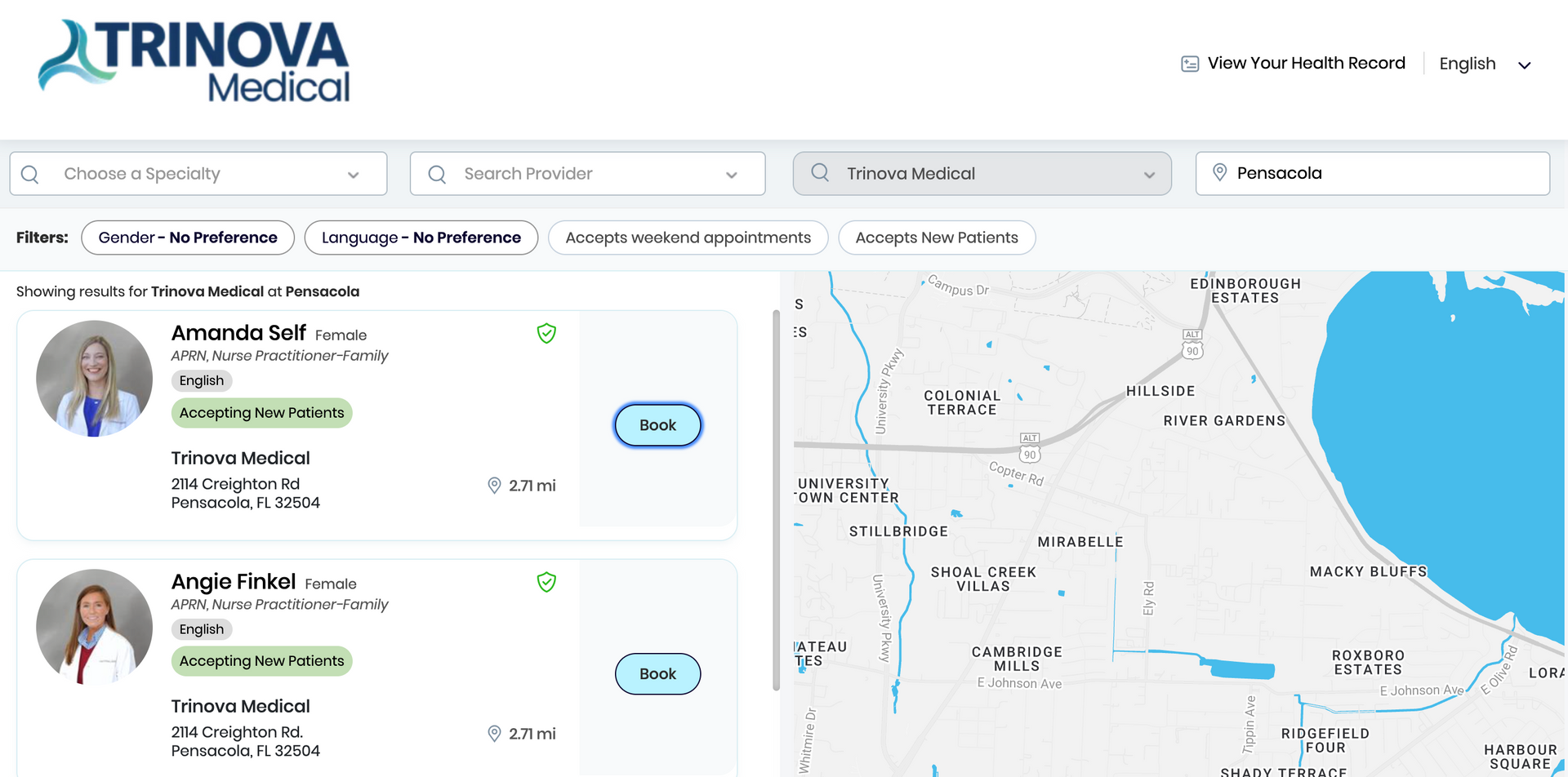
Make an Appointment

Check real-time availability and choose the day and time that work best for you.

We’ll call you directly to confirm details, answer any questions,
and schedule your first appointment.

IMPORTANT: Please verify your insurance coverage before scheduling an appointment. Here is the list of Accepted Insurance Plans.  Trinova Medical reserves the right to cancel appointments if insurance eligibility cannot be confirmed.

Troubleshooting tips 

We can assist you! Visit Healow’s Help Center for helpful tips for logging in and using the Healow App. If you require additional assistance, please call us during normal business hours and a Trinova Medical Associate will be happy to help. 


Simple Tips: 


  • Be certain your name is typed as it appears in the medical record – James instead of Jim/Jennifer instead of Jen 

  • Birthdates should be written as MM/DD/YYYY 

  • Telephone number should not have any special characters – just the numbers, no dashes or dots 

  • Be sure to check your junk mail for email confirmations! This email will come from eClinicalWorks 

  • Our practice code for the App is: EADGDD 


If you have a life-threatening or mental health emergency, call 911 or go to the closest Emergency Room.